MyGrowth: Daily Micro Learning
- 4.2
- Rating
- 100.00K
- Installs
- Free
- Price

 Analysis by App-foxy
Learning as an adult is rarely blocked by a lack of curiosity. More often, the problem is finding a format that fits between work, errands, messages, and the rest of the day. MyGrowth: Daily Micro Learning approaches that problem with short lessons designed to deliver a small piece of knowledge at a time. I found it most appealing when I wanted a repeatable learning habit rather than a full course that demanded a long, uninterrupted session.
This is a free education app from Extramile Limited, aimed at adults and suitable for everyone. It has reached over one hundred thousand installs and holds a 4.2 average from around two thousand ratings, which suggests that the short-session idea is connecting with a meaningful audience. The app is currently at version 1.13.1, and its Android requirement is version 10 or newer. There are optional in-app purchases, ranging from $0.99 to $69.99 per item, so the free starting point is useful, but anyone planning to use it regularly should pay attention to what is included before committing to paid content.
How I Decided Whether MyGrowth Was Worth Keeping
I judge whether a learning app deserves a lasting place by looking beyond the first burst of curiosity: can I return without turning it into another obligation, and do any ideas stay useful afterward? I would give MyGrowth a fair trial through a routine I already have, then notice whether it earns attention naturally. That makes maintenance—not novelty—the right next test.
You May Also Like

 Blood Strike: 2.5 Anniversary
Blood Strike’s Loadouts Turn Every Drop Into a Tactical Gamble
A close look at Blood Strike’s custom loadouts: how fast access to signature weapons reshapes its battle royale rhythm, rewards preparation, and narrows the gap between fights.

 Pandora - Music & Podcasts
Pandora’s Music Is Easy to Start, but Harder to Recover
Pandora’s strength is its low-effort path from a seed to a station. Its weak spot is how much confidence it asks you to place in connection, setup, and quiet recovery.

 8 Ball Pool
 Is Built on Rivalries, Rematches, and Routine
A close look at the rivalries, rematches, shared routines, and unanswered safety questions that turn a quick pool match into a persistent mobile community.

 Samsung Music
’s Quiet Strength Is Playing What You Already Own
Its reach comes less from spectacle than from dependable access to a personal library. That simplicity is both the app’s strongest retention engine and its ceiling.

 AccuWeather: Weather Radar
AccuWeather Review: A Quick, Clear Forecast for Everyday Decisions
For everyday plans, the best forecast is the one you can understand quickly. AccuWeather makes rain timing, radar, and local conditions easy to act on, with a few trade-offs.

 Hill Climb Racing
Why Hill Climb Racing Still Turns Crashes Into One More Run
A tiny car, a bumpy hill and one more upgrade: Hill Climb Racing keeps resurfacing because its simple chaos makes every near-miss feel personal.
More From Our News Desk



The real test is whether short learning fits your routine
I would not judge this app by asking whether a micro-lesson can replace a textbook, a classroom, or a serious professional course. That is the wrong comparison. The better question is whether it helps you use small gaps in the day more intentionally. If you can give it a few focused minutes while waiting for an appointment, taking a break, or winding down before bed, its format makes sense.
My first decision criterion was consistency. A learning app can contain excellent material and still be a poor choice if opening it feels like starting homework. MyGrowth is built around the opposite experience: a smaller commitment that is easier to repeat. That makes it a natural fit for someone who wants to explore ideas in manageable portions, especially when a large syllabus would immediately feel overwhelming.
The second criterion was the kind of knowledge I wanted. This is not the app I would choose when I need a formal qualification, detailed references, practical lab work, or a structured path toward a specific exam. I see it as a broad personal-development tool. It is better suited to building awareness, discovering subjects, and keeping my mind active than proving mastery.
The third criterion was attention. Bite-sized content sounds convenient, but convenience can become a weakness if the lesson is treated as something to scroll through without thinking. I paid attention to whether I could pause, reflect, and connect an idea to something outside the app. That distinction matters: the value comes less from collecting completed lessons and more from remembering one useful point afterward.
A practical way to use it during an ordinary day
A realistic routine would be to open MyGrowth during a predictable pause rather than waiting for free time to appear. For example, I might use one short session after breakfast, note the idea that stood out, and then return to it later in the day by asking where it applies to a conversation, a work decision, or a personal habit. This turns a quick lesson into a small learning loop instead of an isolated swipe.
I also found that the app works better when I give each session a purpose. On one day, I might use it for curiosity and accept that the topic is simply interesting. On another, I might look for something connected to communication, planning, or self-improvement. Without that intention, microlearning can become passive consumption. With it, even a short visit can give me a prompt to think about.
One useful trade-off is that the small format lowers resistance but also limits depth. I can start easily, yet I should not expect every subject to remain in memory without follow-up. My approach would be to keep a brief note outside the app for ideas worth revisiting. That extra step is especially valuable for readers who want practical change rather than a daily streak with no lasting effect.
Who will get the most from the format
I think this app is particularly suitable for adults who feel they have little time but still want regular intellectual input. It can also suit people returning to learning after a long break, because the short sessions do not carry the pressure of enrolling in a demanding course. Curious generalists may enjoy moving between subjects, while busy professionals may appreciate a format that does not require blocking an entire evening.
It is also a reasonable choice for someone who has tried longer educational apps and abandoned them because the lessons felt too demanding. MyGrowth lowers the psychological cost of beginning. That does not guarantee that the content will match every interest, but the format itself is approachable and easy to fit around an unpredictable schedule.
I would be more cautious if your goal is measurable expertise. Students preparing for an exam, people learning a language through deliberate practice, and professionals needing detailed technical instruction will usually benefit more from a specialist platform with exercises, progression, feedback, and assessment. A microlearning app can supplement that work, but I would not make it the central tool.
Where MyGrowth feels strongest
The clearest strength is the way it respects fragmented time. Many education products assume that the user can sit down and concentrate for a substantial block. MyGrowth starts from a more realistic adult schedule. I can use it when my energy is limited, and the small scale makes it easier to return tomorrow instead of postponing learning indefinitely.
That design also makes the app useful as a discovery tool. I do not always know which subject deserves a full course. A short introduction can help me decide whether an area is worth deeper study. In that role, the app saves me from committing too early to a long program that may not suit my interests.
Another advantage is its low entry barrier. It is free to begin, carries an Everyone content rating, and does not present itself as a specialist tool for one narrow age group. That broad positioning makes it easy to recommend to a friend who wants a gentle way to restart a learning habit without first researching an entire education ecosystem.
The scale of its audience is encouraging without being a reason to install it by itself. The app has over one hundred thousand installs, while its review count sits at 176. I read that as evidence of a real user base, but not as proof that every topic or lesson will work equally well for every person. My own decision would still depend on whether the short format matches my learning style.
Small habits that make the app more useful
My first tip is to avoid treating every lesson as equally important. If an idea feels immediately useful, I would save it in a personal note using my own words. Rewriting it forces me to understand it and creates a lightweight review system that a quick completion screen cannot provide on its own.
My second tip is to connect a lesson to a real action within the same day. If the topic suggests a better way to organize a task, communicate, or think through a decision, I would test that idea once. This gives the app a practical role and helps separate memorable learning from information that disappears as soon as the session ends.
My third tip is to use it as a bridge, not a destination, when a subject catches my attention. After a short lesson sparks interest, I would decide whether I need a book, a longer course, or a trusted specialist source. This workflow keeps MyGrowth enjoyable while preventing the common mistake of assuming that an introduction is the same as a complete education.
A fourth consideration is timing. I would avoid opening it when I am already distracted and merely looking for something to tap through. A quiet transition in the day is better than a crowded commute if I want to remember anything. The app makes starting easy, but my surroundings still determine how much learning I actually retain.
Where a different type of app may fit better
MyGrowth competes less with one specific rival than with several kinds of alternatives. A structured online course is better when I need a planned sequence, assignments, and a clear finish line. A reference app is better when I need to look up a precise fact quickly. A book or long-form lecture is better when a topic demands context, examples, and sustained argument.
Specialist practice apps also have an advantage in areas where repetition and correction matter. Language learning, mathematics, music, coding, and exam preparation usually require me to produce answers and receive feedback. A short knowledge lesson may introduce a concept, but it cannot automatically replace deliberate practice in those fields.
There is also a simple alternative: a newsletter, podcast, library book, or carefully chosen video. Those options may offer more depth or a stronger personal voice. MyGrowth wins when I want a more focused, app-based routine with a low time commitment. It loses when I already know that I prefer long explanations or when I need control over the exact source and level of detail.
I would skip it if I dislike broad educational browsing and only want one narrowly defined subject. I would also skip it if paid access becomes a concern and the available free experience does not meet my needs. Because optional purchases range from $0.99 to $69.99 per item, I would check the purchase screen carefully rather than assume that every part of the experience is included at no cost.
What switching to it really involves
The cost of switching is fairly low for someone who already uses no learning system. There is no need to reorganize a detailed study plan just to try short lessons. I could simply add it to an existing routine and see whether I return naturally. That makes it a low-risk experiment for casual learners and people who have struggled to maintain longer study sessions.
The cost is higher for someone already committed to a course with a syllabus and assessments. MyGrowth would be an additional habit, not a direct replacement, and adding another app can create noise. I would only keep it alongside a serious course if it serves a different purpose, such as providing light exploration between demanding study blocks.
Another switching cost is mental organization. Short lessons can expose me to many ideas without automatically building a coherent map of a subject. If I move from one topic to another every day, I may gain variety but lose continuity. To avoid that, I would choose a weekly theme or group related notes together. This is a small amount of work, but it makes the broad format more meaningful.
There is also the question of paid commitment. Since the app is free to download but includes optional purchases, I would use the free experience long enough to understand my actual usage before buying anything. If I open it sporadically, a large purchase is difficult to justify. If it becomes part of my routine and the paid material clearly adds value, the decision becomes more reasonable, but I would still compare that cost with a focused course or book for the same goal.
Technical and practical details worth knowing
MyGrowth is an Android education app developed by Extramile Limited. It was released on September 9, 2025, and the current version is 1.13.1. Android users should be running version 10 or later, so owners of older devices may need to check compatibility before planning around it.
The Everyone age rating makes it broadly approachable for households, although the intended audience is adults looking for compact learning. I would describe it as a general-interest companion rather than a children’s learning product or an academic platform. That distinction helps set expectations before installation.
The app’s 4.2 average from around two thousand ratings is a useful signal, but I would interpret it alongside the format’s natural limitations. People who enjoy quick daily learning may find it easy to recommend, while readers seeking deep courses may judge it more harshly. The rating tells me that the concept has appeal; it does not remove the need to match the app with the right goal.
My recommendation after weighing the trade-offs
I recommend MyGrowth: Daily Micro Learning to adults who want a simple way to make learning more regular and less intimidating. Its best use is not cramming information into every spare second. It is creating a small, repeatable opening for curiosity and then deciding which ideas deserve deeper attention.
I would recommend starting without a purchase, using the app during one consistent daily pause, and tracking whether I remember or apply anything after several sessions. That test is more revealing than a single enthusiastic first impression. If the lessons become a useful prompt for reflection, the app has earned a place in the routine. If they feel too shallow or disconnected, moving to a course, book, or specialist practice app will be the better decision.
My final view is positive but deliberately limited: MyGrowth is strongest as a low-pressure learning habit, not as a complete education system. For a busy adult who wants regular mental stimulation, that is a worthwhile role. For someone pursuing mastery, credentials, or intensive skill practice, it should remain a supplement at most. I would install it for the first use case and choose a more structured alternative for the second.
FAQs for MyGrowth: Daily Micro Learning
01What is MyGrowth: Daily Micro Learning, and how does it work?
MyGrowth: Daily Micro Learning is designed to help users build knowledge and personal development habits through short, focused learning sessions. Instead of requiring long study periods, the app presents small lessons or insights that can be completed during spare moments. Its approach is suitable for users who prefer gradual progress, although the exact topics and lesson formats may vary depending on the available content and app version.
02What subjects and types of content are available in MyGrowth?
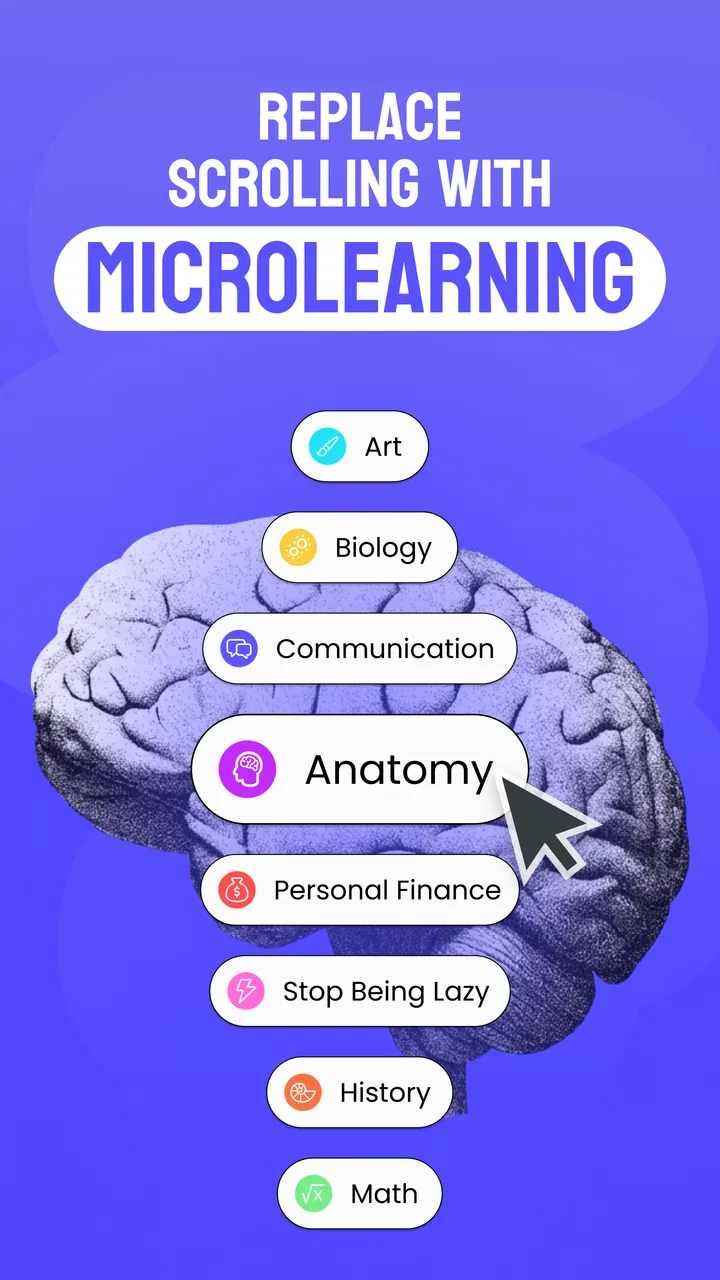
The app generally focuses on practical self-improvement and everyday learning, which may include productivity, mindset, communication, habits, personal growth, and other useful topics. Lessons are usually presented in a concise format so they are easy to read and remember. Before downloading, users should check the current store description because the content library, categories, languages, and learning features can change with future updates.
03Is MyGrowth: Daily Micro Learning free to use?
MyGrowth may offer free access to some learning material while reserving additional lessons, features, or personalized content for a premium subscription or in-app purchase. The available pricing, trial period, billing frequency, and included benefits can differ by country and platform. It is important to review the payment screen carefully before confirming a subscription, especially if a free trial automatically converts into a paid plan.
04Does MyGrowth require an internet connection?
An internet connection may be needed to download lessons, synchronize progress, load updated content, and manage account or subscription information. Some material could potentially remain available after it has been loaded, but offline access should not be assumed unless the app clearly provides a download feature. Users with limited mobile data should open the app on Wi-Fi when possible and check its settings for data-related options.
05Is MyGrowth suitable for beginners, and can it replace a complete course or professional advice?
MyGrowth can be a convenient choice for beginners because its short lessons are less intimidating than lengthy courses and can help establish a regular learning routine. However, micro-learning is best viewed as a supplement rather than a complete education program. The app should not replace professional training, therapy, medical guidance, financial advice, or other expert services when a qualified professional is required.
Pros
- Short daily lessons make learning easy to fit into busy schedules.
- Covers a broad range of personal and professional growth topics.
- Progress tracking helps maintain motivation and build a learning habit.
- Bite-sized content is approachable for beginners and casual learners.
- Useful for discovering new subjects without committing to long courses.
Cons
- Some lessons may feel too basic for experienced learners.
- The daily format may not provide enough depth for complex subjects.
- Content quality and usefulness can vary between different topics.
- Regular reminders may become distracting for users with busy schedules.
- A subscription may be required to unlock the full learning library.

MyGrowth: Daily Micro Learning
Gallery